Click on the picture at left to go to
the downloads page
The Sicontroller interface is designed
to make setup extremely quick and easy. The setup menu for an 8 channel Sicon-8
can be easily completed in 15 to 30 minutes. A 32 channel Sicon-8 can be done in
just a little longer. Setting up multiple sites is as easy as saving the current
configuration and importing it to as many sites as you desire and making any site
specific changes that might be necessary.
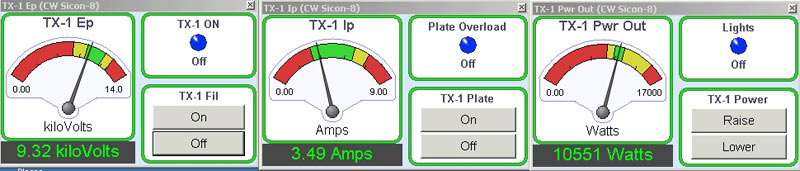
Double clicking on any meter in the main
interface pops up just that channel's meter & controls. This form can be resized
from very tiny to full screen. The main Sicontroller can be minimized to the system
tray while one or more single meters are left open.
The Sicontroller Main Screen
The CircuitWerkes Sicontroller interface software for the Sicon-8 remote control
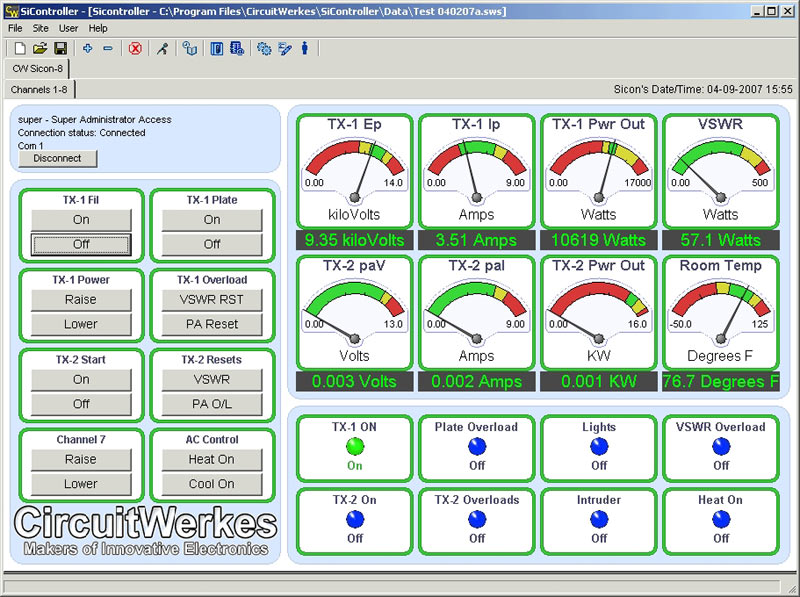
The FREE Sicontroller program lets you
monitor, control and setup your Sicon-8 from any PC equipped with a serial port
or a USB-to-serial adaptor. The Sicontroller program also works with serial-to-Ethernet
converters and can be used locally or over a network or the Internet. You can monitor
a Single Sicon-8, or many different Sicon-8s using the tabs in the Sicontroller
program. A special multi-site grid view shows users of multiple units a quick overview
of each site. In addition to basic setup and control, the Sicontroller adds extra
features, not found in the hardware such as sending e-mails during alarm conditions
& automatically syncronizing the Sicon-8's clock to your local PC.
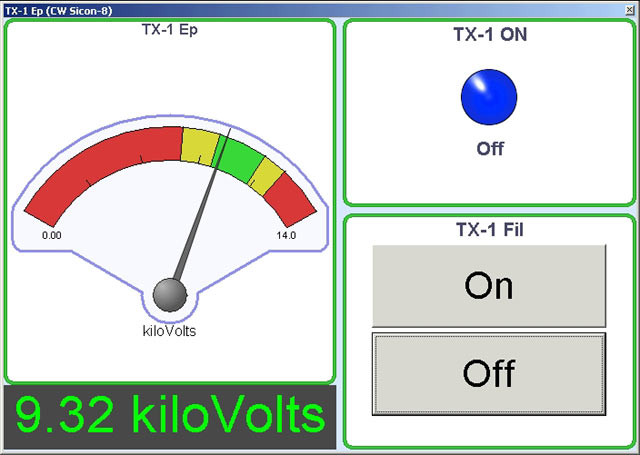
Below: Sicontroller with a single big
meter
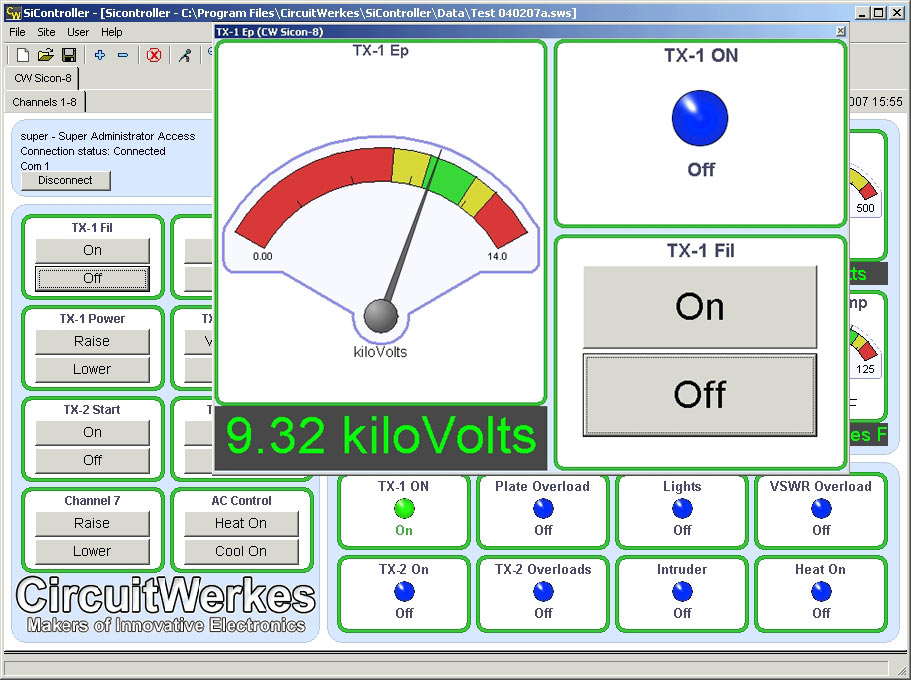
Below: Multiple single windows with main program minimized.
Configuring Sicon-8 hardware is made
simple through the Sicontroller's intuitive interface.
Basic channel setup is shown below. All
major parameters can be setup or changed for every channel
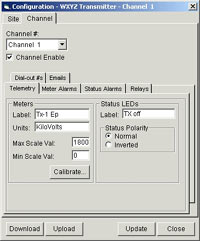
Sicontroller channel main setup
|
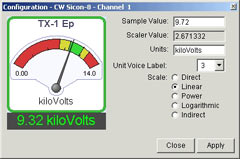
Calibrating meters is super easy with Sicontroller. Just put in the value that the
sample represents, make up a Units label, set the voice label & click "apply".
|
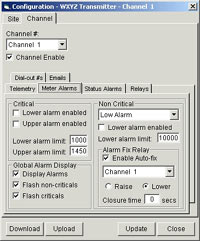
Setting meter alarms & actions
|
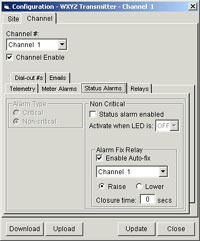
Setting status alarms & actions
|
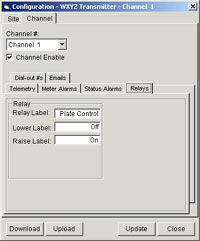
Channels 1-6 relay setup
|
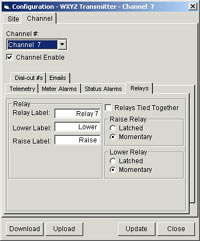
Channels 7 & 8 relay setup
|
Labels for all controls, meters, and status
inputs are configurable and can be stored in the software and/or uploaded to the
Sicon-8 hardware. Labels and settings that are stored only in the software can be
saved and used to configure multiple sites. Only after uploading the settings do
they actually take effect in the Sicon-8 hardware. Additionally, configurations
and labels from existing Sicon-8s can be downloaded and saved locally for backup
purposes or to create a template for multiple station programming.
Site setup takes you through almost every
programmable option for your Sicon-8, including many that are not available via
DTMF. The top part of the site setup menu does not change and includes "universal"
settings such as time constants and general setup switches.
Below the universal settings are
tabs that give you access to the detailed settings for the Sicon-8's various functions.
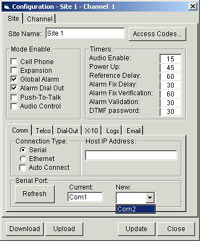
Setup Site's Data Comm Mode
|
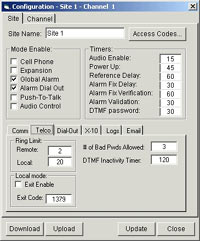
Basic telephone setup
|
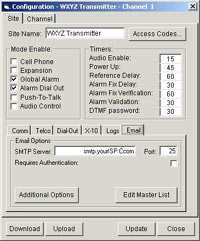
Main e-mail setup
|
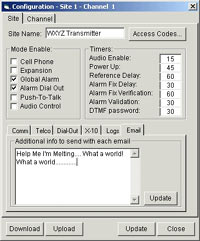
Add custom e-mail text here.
|
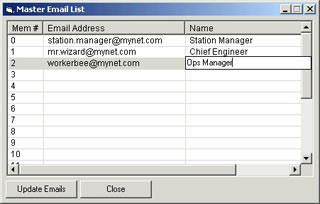
This is the master list of e-mail recipients. Up to 20 e-mail recipients can be
stored. Each channel can have up to 5 e-mail addresses that are selected from this
pool of 20.
|
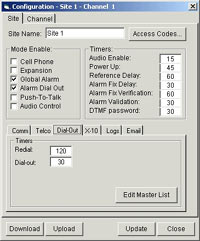
Telco dial-out main setup
|
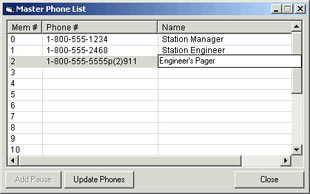
Telco dial-out number master list Up to 20 phone numbers can be stored. Each channel
can have up to 5 numbers that are selected from this pool of 20.
|
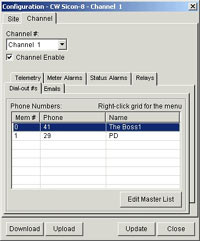
Dial-out number setup for each channel's alarms
|
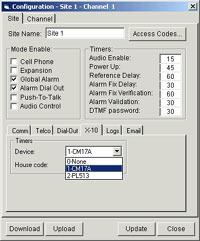
X-10 Setup. Sicon-8 supports up to 16 devices (control only).
|
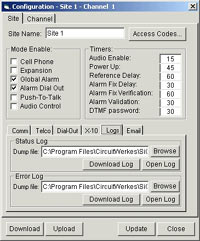
Setup & downloading the
Sicon-8's internal logs.
|
The Sicon-8's event scheduler can be programmed
to log readings at a specific time or at periodic intervals. In addition, readings
are logged whenever an alarm or control event occurs. The Sicon-8 stores about a
week's worth of logs in a FIFO buffer so that the oldest readings are continously
flushed as new ones are made. In addition to the usual metering/status logs, the
Sicon-8 keeps a record of any internal errors in a separate file that you can download
and review.
The Sicontroller interface features tabs that support multiple sites. By clicking
different site tabs, you can switch from one site to another. In addition, multiple
instances of the Sicontroller software can be run so that different cities or companies
can each be displayed in their own program.
Using the Sicontroller Software to
set up audio/voice responses in the Sicon-8
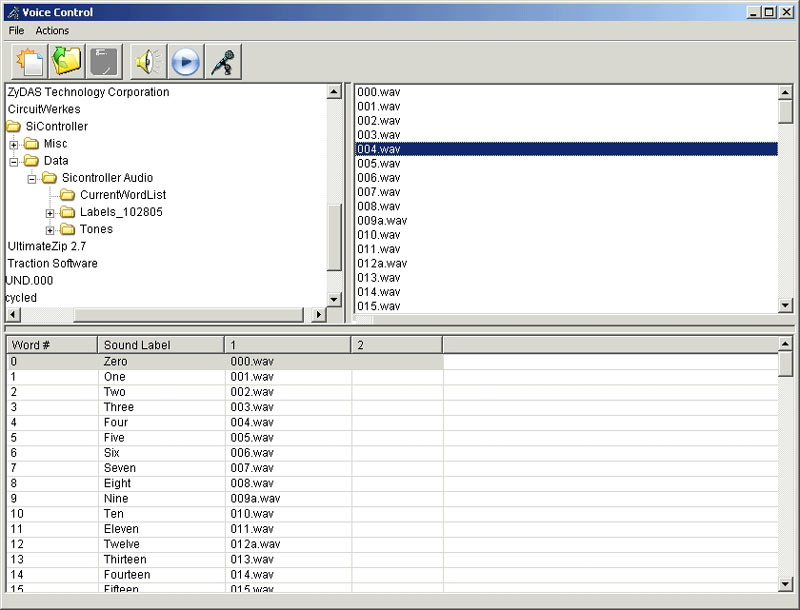
One of the most tedious jobs in most talking remote controls is setting up the voice
responses. The Sicontroller software makes this task
"so simple a caveman could do it". Ooops. Sorry. That one's already been
used by someone else's product. But easy it is.
All you have to do is get your words into individual WAV or MP3 files. You can then
drag and drop them from whatever directory they are in to the programming grid.
You can preview the words or phrases as you go using your PC's speakers. You can
also cause the Sicon-8 to playback whatever audio is currently stored in each memory
location.
Once you have all of the words in place, you can program individual lines, groups
of words or the entire array at once. The entire task takes only minutes to complete
(once you have your words recorded, of course). Many of the most common English
words are already recorded for you and are supplied with the Sicontroller program.
Changing the voice responses to other languages is as easy as recording your own
prompts and uploading them to the Sicon-8.
Visit
The Sicontroller Download page.